We won the 2026 iAwards Queensland Industrial Technology category.Read more →
NEXUS iQ: HEAT MAP

Every zone in the fleet, on one screen.

Live zone temperature status and control

The Heat Map lays out every zone across every site and colours it by how far it is from setpoint: green within a degree, amber within two, red beyond. The warmest, coldest and furthest-from-setpoint zones sit alongside, so you go straight to the problem.

LIVE STATUS

Three colours. No guessing.

Zones are grouped by site and show the live room temperature, the setpoint and the mode. Filter to one site, or to off-target zones only.

Comfort bandsWithin 1°C at temperature, within 2°C close, more than 2°C off target

Ranked listsWarmest, coldest and furthest from setpoint across the whole fleet

FiltersAll sites or one, and an off-target-only switch

CountsZones, at temperature, close, off target and off, in the header

Nexus iQ Heat Map across all sites, zones coloured by distance from setpoint

Screens show demo data in Nexus iQ.

ZONE CONTROL

Set it from the same screen.

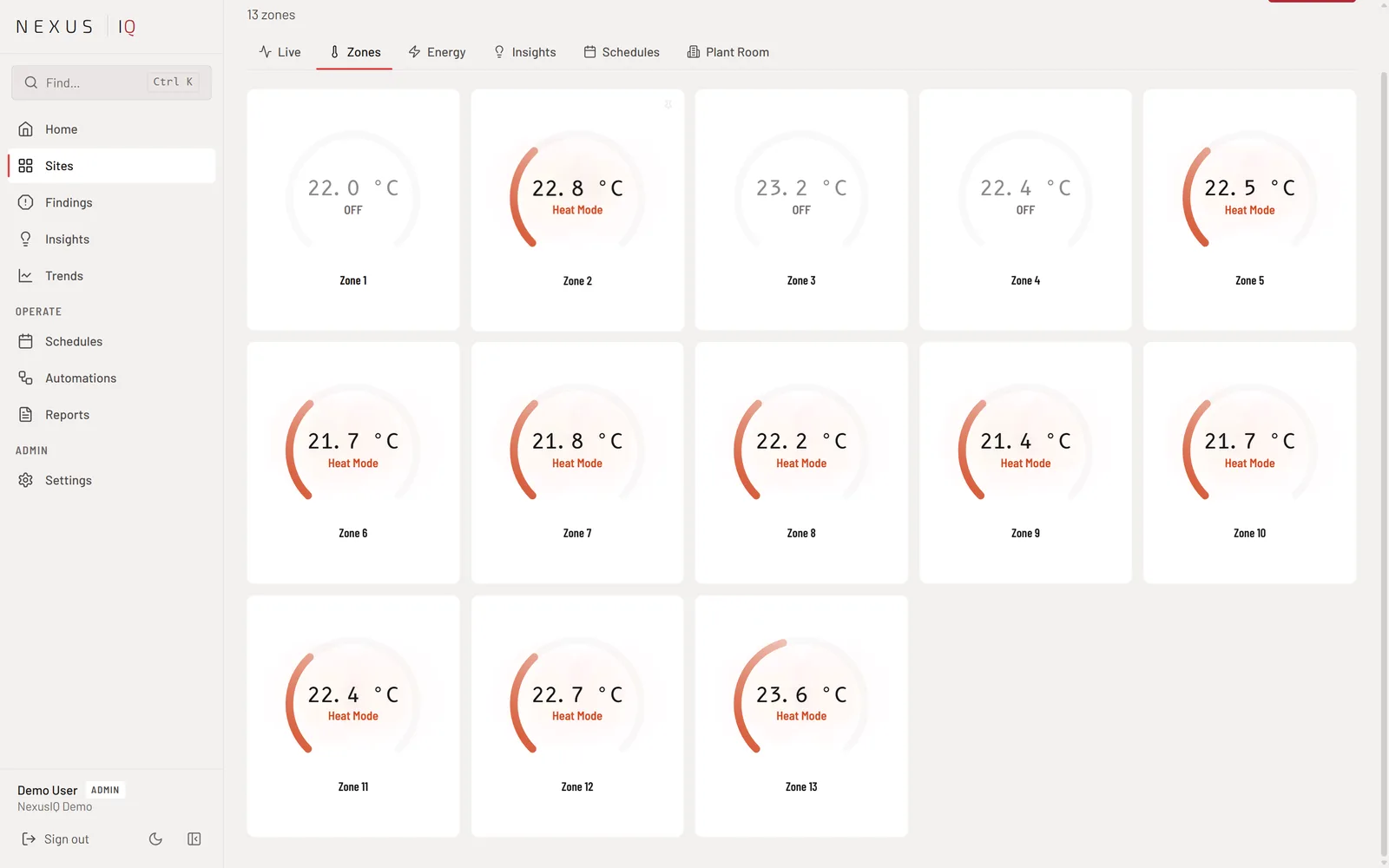
From any site's Zones page, every zone is a dial with its temperature and mode. Change one, or use Control All for the whole site.

Per-zoneTemperature and mode for any indoor unit

Control AllOne change across every zone on the site

SchedulesPer-site or global schedules for the whole portfolio

AutomationsRules that control zones or raise an alert on a sensor reading

Nexus iQ Zones page with per-zone dials for temperature and mode

Screens show demo data in Nexus iQ.

±1°C
comfort band
3
status bands
All sites
on one screen
30 s
refresh
Related

More of Nexus iQ

See every zone you manage.

Book a free demo and we will put your fleet on one screen.

Book a demo