How to set up your home page
Every controller0:496 steps
Turn on a home page with the time, the weather and your zones, then add, remove or resize its tiles.
Steps
- 1On the Zones screen, tap the menu, then Settings.
- 2Tap Display Options.
- 3Turn on Custom home page.
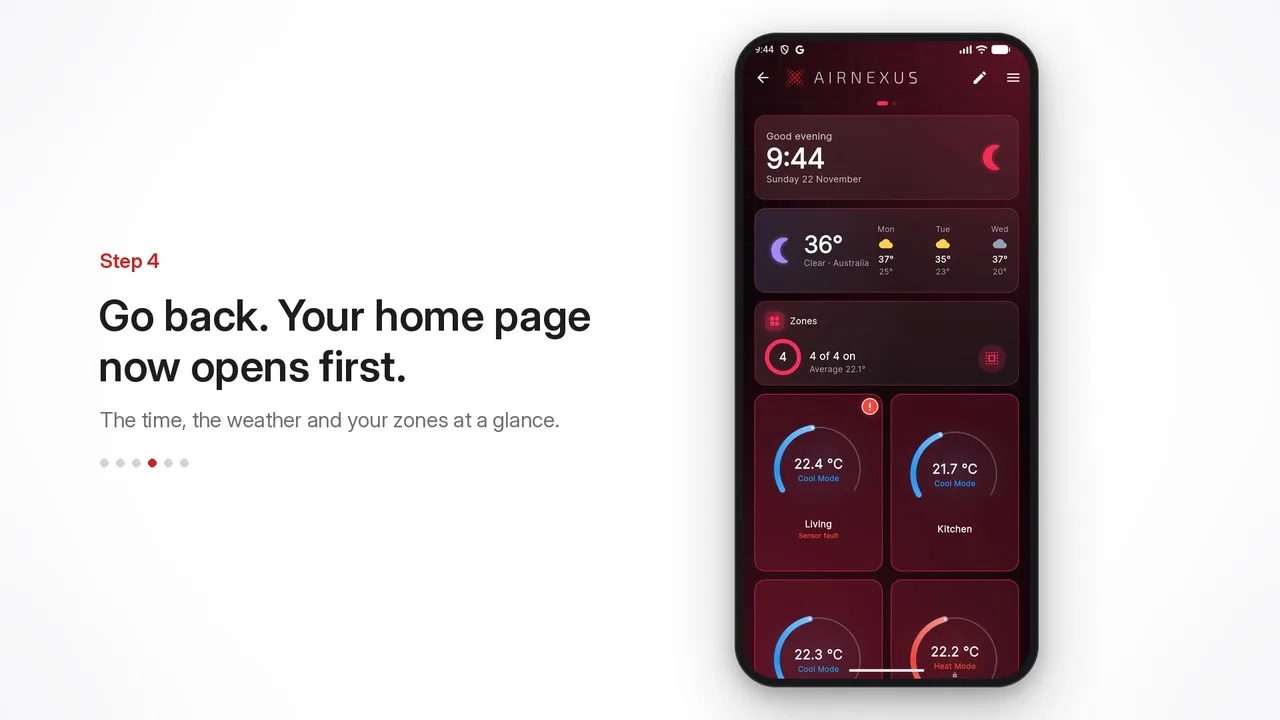
- 4Go back. Your home page now opens first.The time, the weather and your zones at a glance.
- 5Tap the pencil to add, remove or resize tiles.
- 6Tap Done.
Still stuck?Raise a ticket and we'll reply within 1 business day.
Raise a Ticket