How to control a zone
Every controller0:354 steps
Show it on
Set a zone's temperature, mode and fan speed.
Steps
- 1On the Zones screen, tap a zone.
- 2Use the arrows to set the temperature.
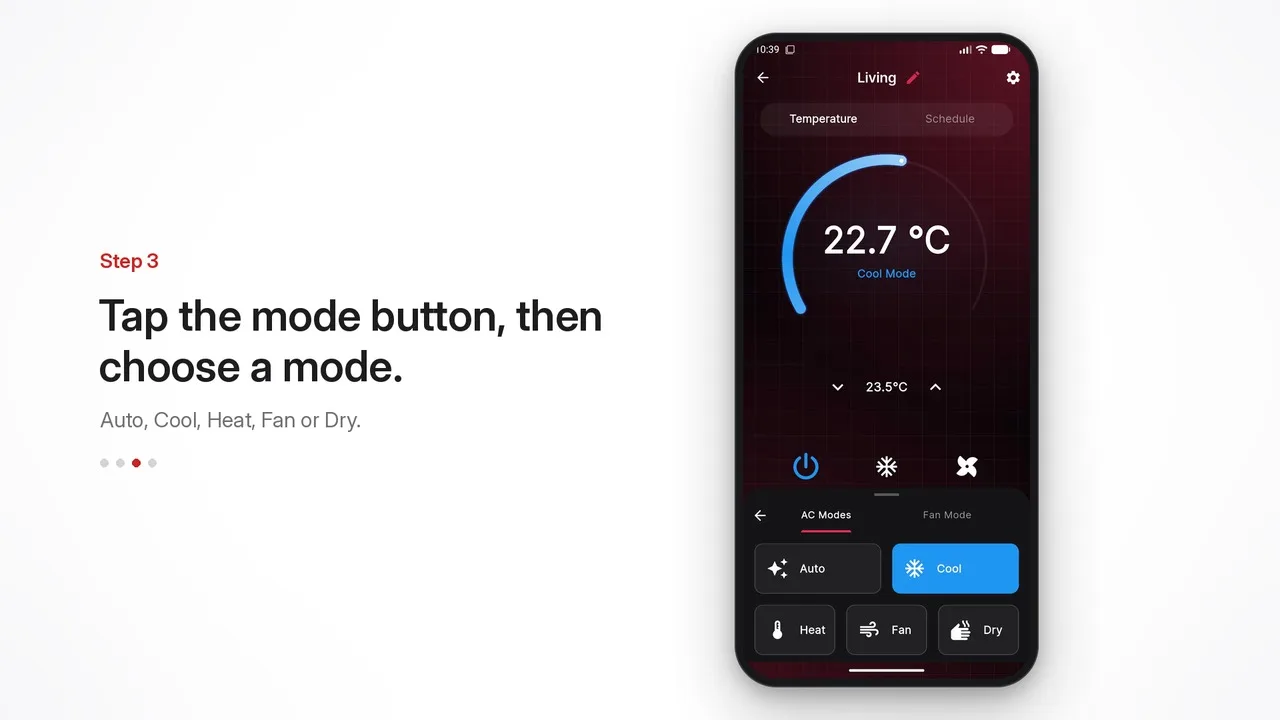
- 3Tap the mode button, then choose a mode.Auto, Cool, Heat, Fan or Dry.
- 4Tap the fan button, then choose a speed.Auto, Low, Medium or High.
Still stuck?Raise a ticket and we'll reply within 1 business day.
Raise a Ticket