How to choose your alerts
Every controller0:415 steps
Choose which alerts you get, by email, push or both, and who else gets them.
Steps
- 1On Locations, tap the menu, then Profile & alerts.
- 2Under Alerts, tap an alert.
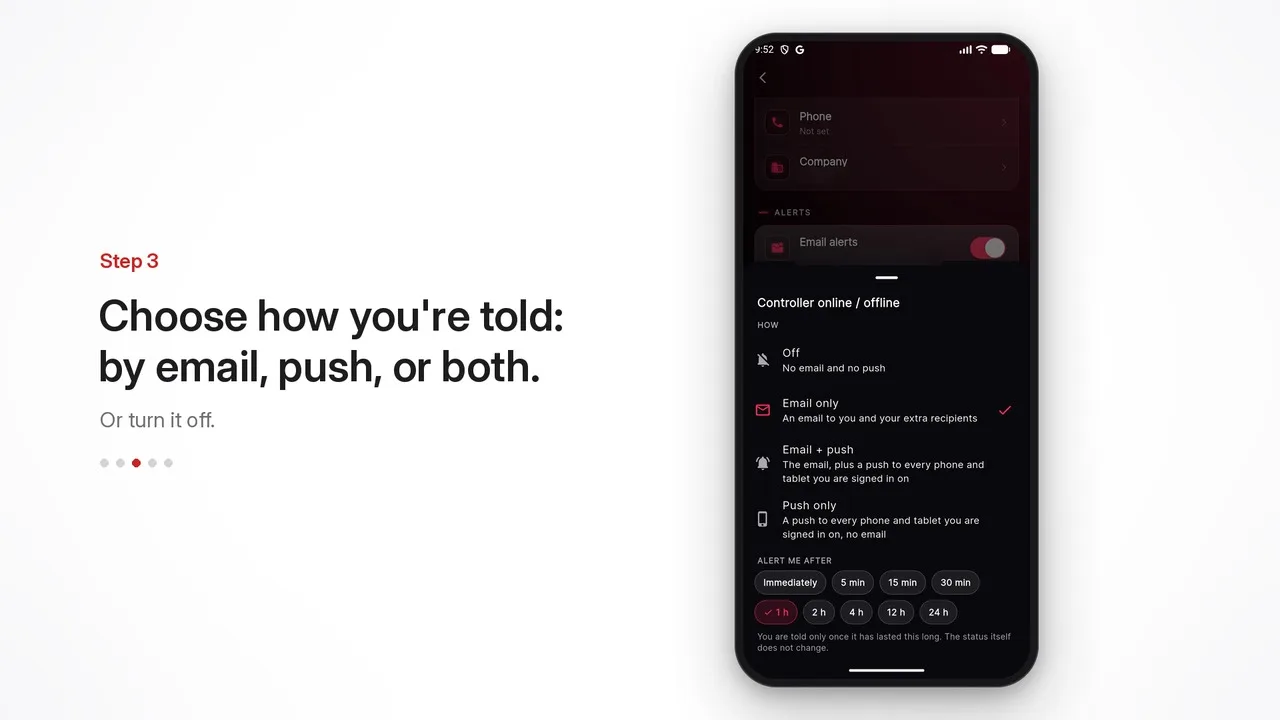
- 3Choose how you're told: by email, push, or both.Or turn it off.
- 4Choose how long it lasts before you're told.
- 5To send alerts to someone else too, tap Add recipient.Up to 5 more email addresses.
Still stuck?Raise a ticket and we'll reply within 1 business day.
Raise a Ticket