How to choose what Locations shows
Every controller0:233 steps
Choose your start page, how sites are sorted, and what Locations shows.
Steps
- 1On Locations, tap the menu, then Location view.
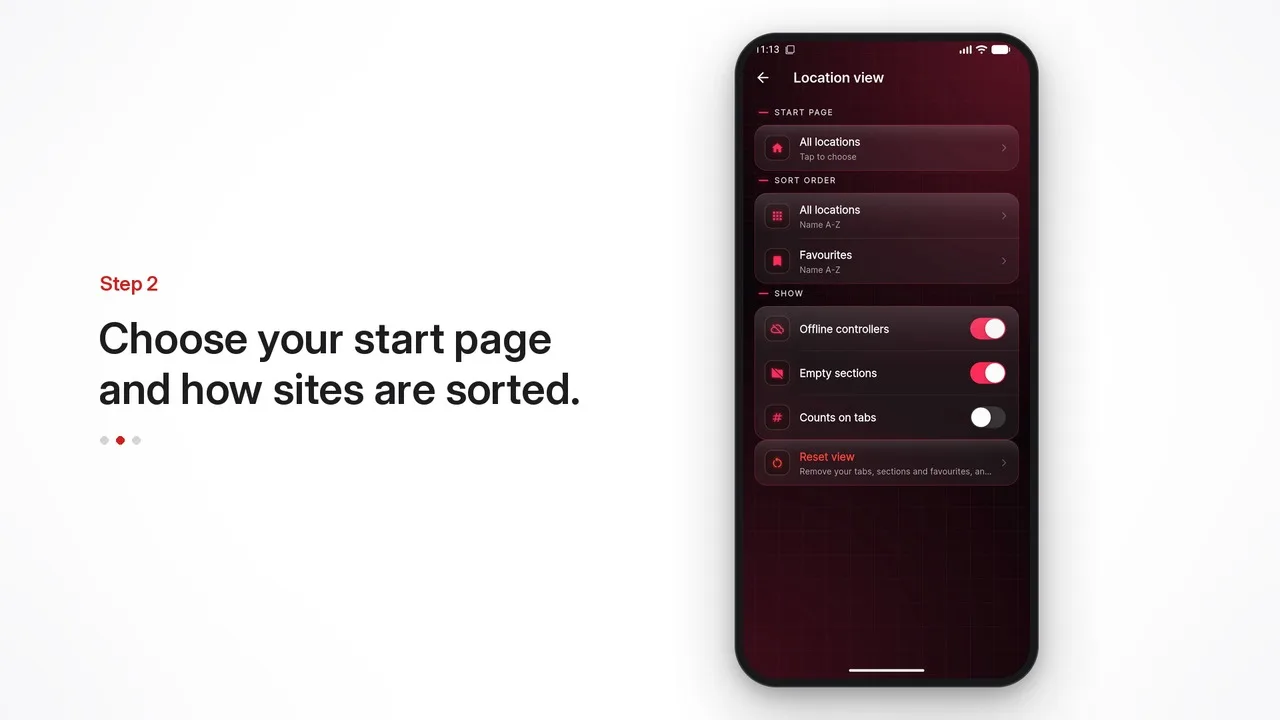
- 2Choose your start page and how sites are sorted.
- 3Turn on what you want to see, like offline controllers.
Still stuck?Raise a ticket and we'll reply within 1 business day.
Raise a Ticket