How to find your network settings
Every controller except Zonelite0:263 steps
Show it on
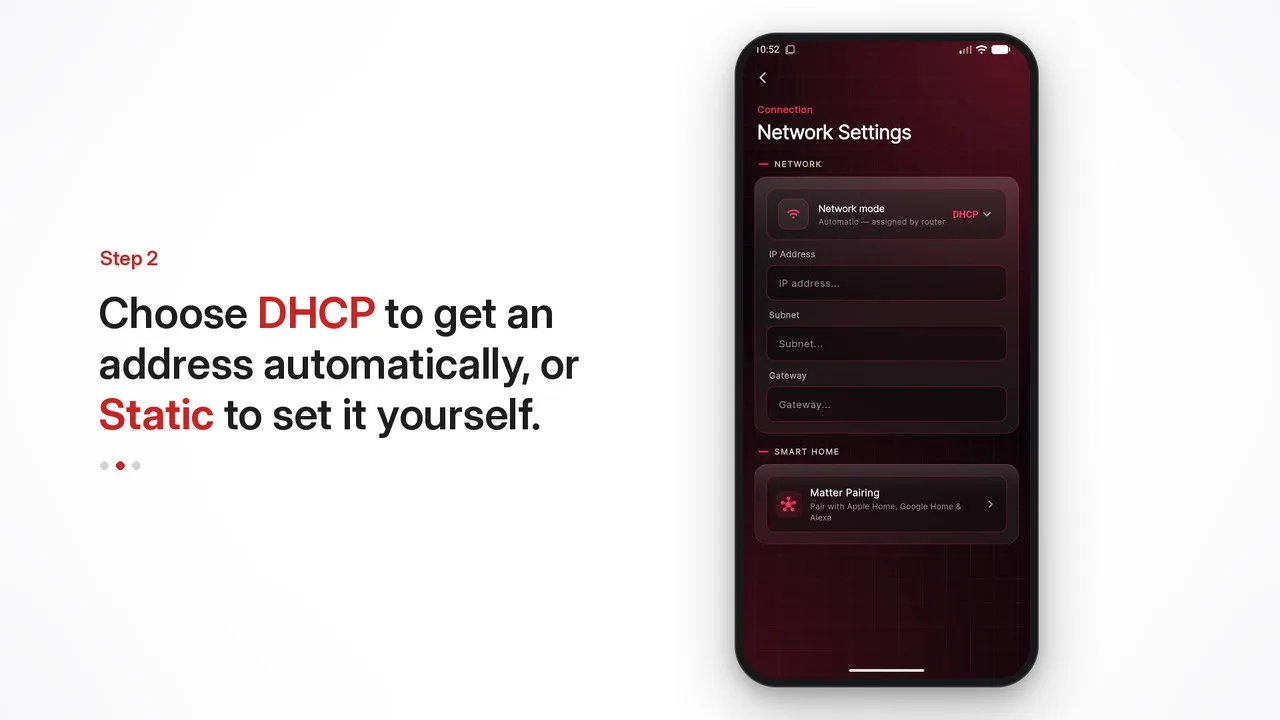
Find your controller's network settings, and Matter pairing for Apple Home, Google Home or Alexa.
Steps
- 1In Settings, tap Network Settings.Settings is in the menu on the Zones screen.
- 2Choose DHCP to get an address automatically, or Static to set it yourself.
- 3To use Apple Home, Google Home or Alexa, tap Matter Pairing.
Still stuck?Raise a ticket and we'll reply within 1 business day.
Raise a Ticket