How to check your controller's details
Zonelite0:293 steps
Check your controller's product, number of zones and unit size, and whether it's online.
Steps
- 1In Settings, tap Info.Settings is in the menu on the Zones screen.
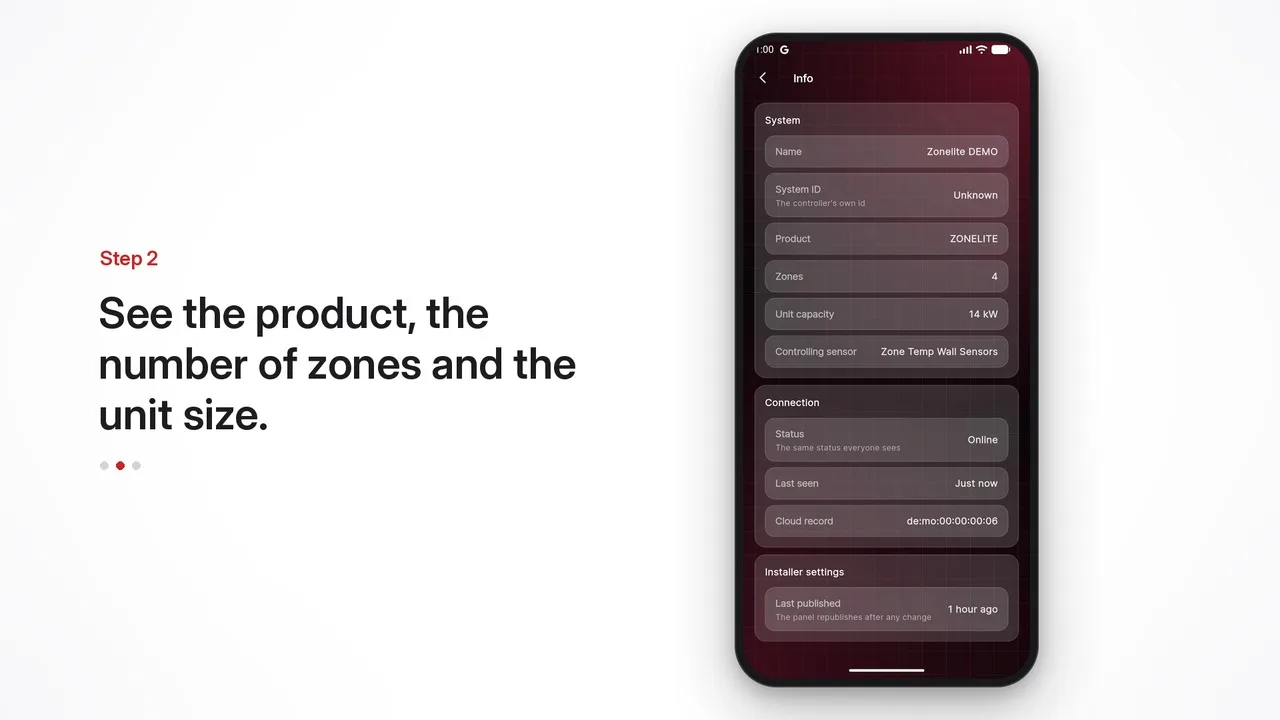
- 2See the product, the number of zones and the unit size.
- 3Connection shows if it's online, and when it was last seen.
Still stuck?Raise a ticket and we'll reply within 1 business day.
Raise a Ticket