How to turn on Vacation mode
Every controller0:516 steps
Tell AirNexus you're away: automations rest, the zones pause, and the house is protected until you're back.
Steps
- 1In Settings, tap Automations.Settings is in the menu on the Zones screen.
- 2Tap the settings icon at the top.
- 3Tap Vacation, then Plan a vacation.
- 4Set the dates, and when you'll be home.It starts early, so it's comfortable when you get back.
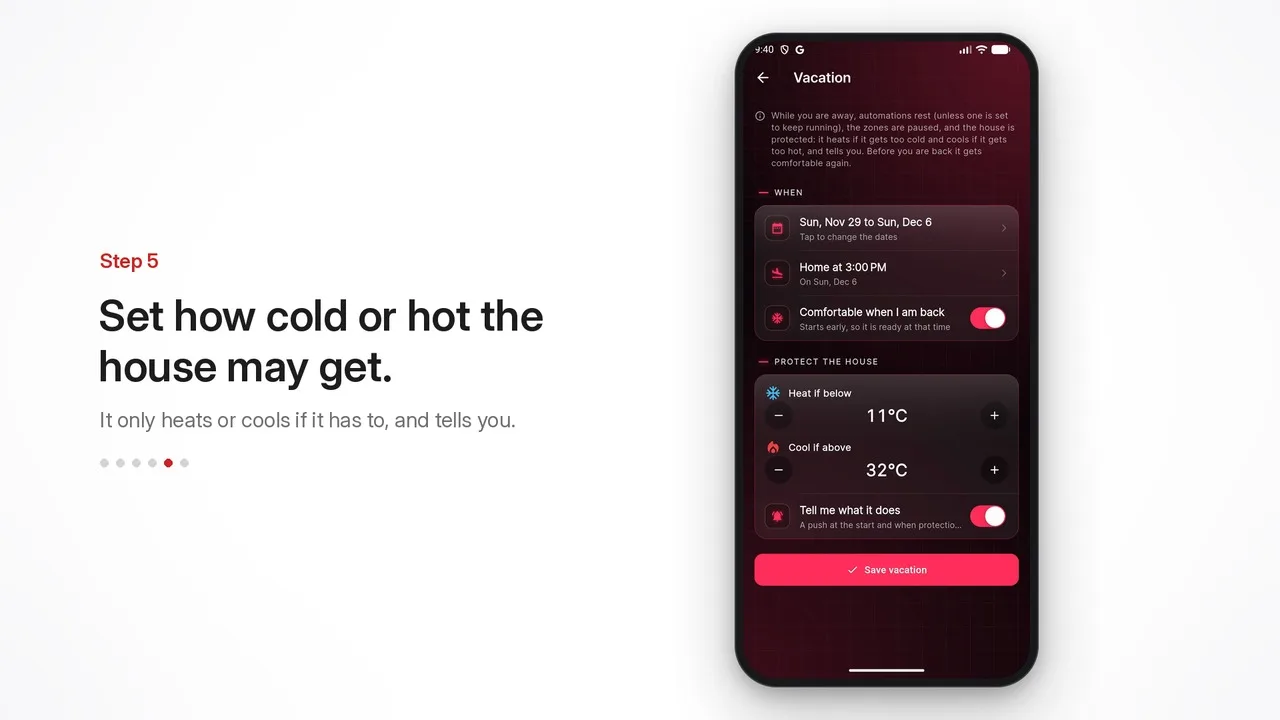
- 5Set how cold or hot the house may get.It only heats or cools if it has to, and tells you.
- 6Tap Save vacation.Automations rest and the zones pause while you're away.
Still stuck?Raise a ticket and we'll reply within 1 business day.
Raise a Ticket