How to reset the filter reminder
Every controller0:415 steps
Cleaned the filter? Start its hours count again from zero, for one zone or all of them.
Steps
- 1In Settings, tap Automations.Settings is in the menu on the Zones screen.
- 2Tap the settings icon at the top.
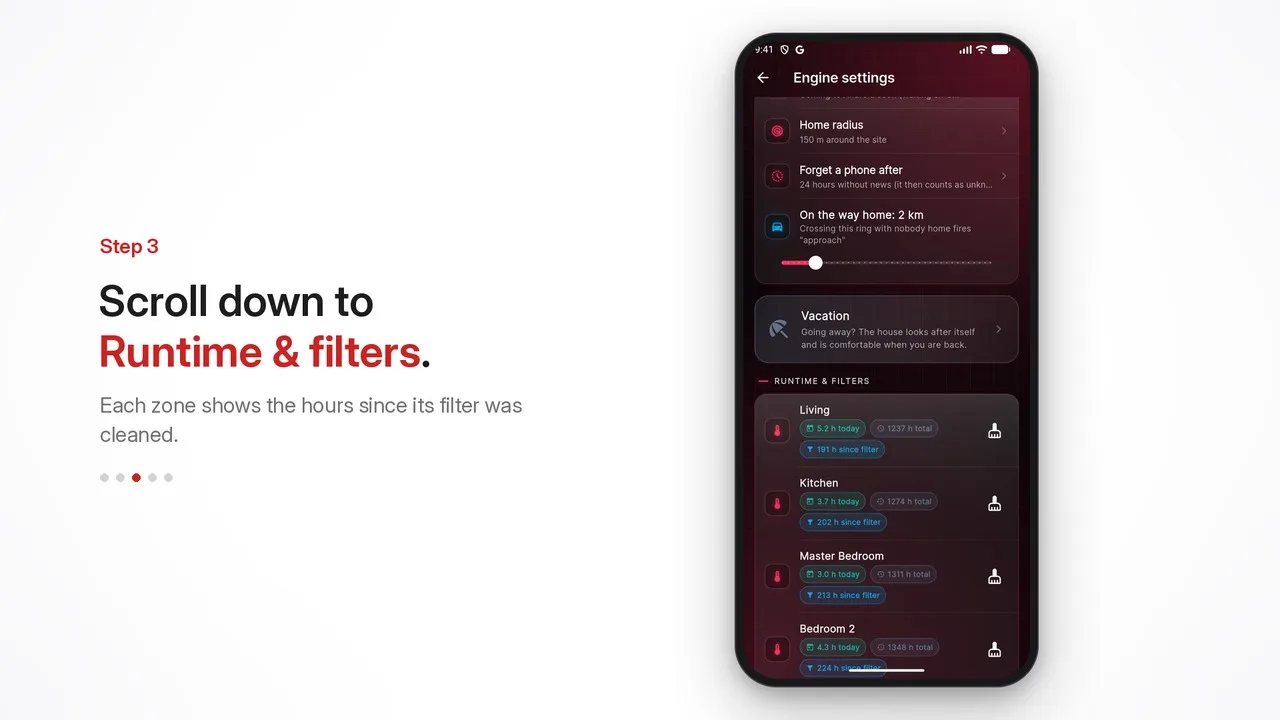
- 3Scroll down to Runtime & filters.Each zone shows the hours since its filter was cleaned.
- 4Tap the filter icon next to a zone, then Filter cleaned.The hours count starts again from zero.
- 5Cleaned them all? Tap All filters cleaned.
Still stuck?Raise a ticket and we'll reply within 1 business day.
Raise a Ticket