Controlling zones
Every controller0:497 steps
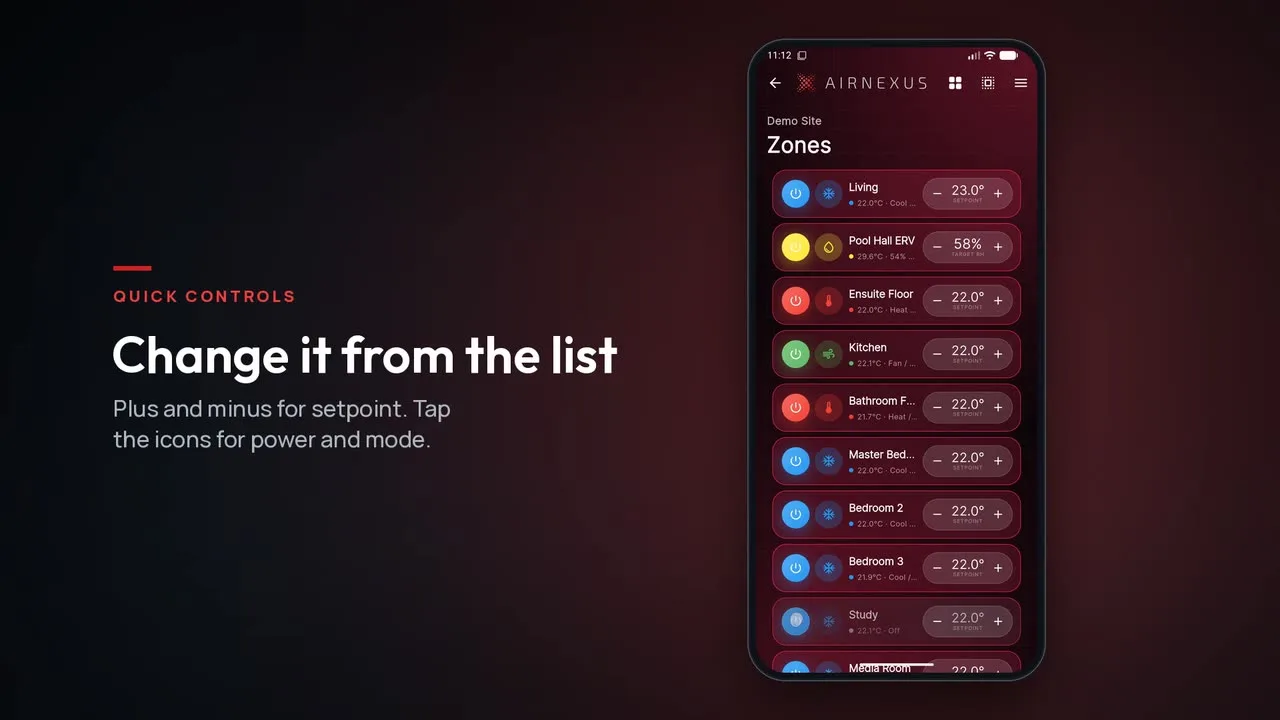
Set a zone's temperature, mode and fan speed, and switch between the tiles and the list.
Steps
- 1The Zones screen shows every zone at a glance.Each tile shows the room temperature and mode.
- 2Tap the list icon at the top to switch to the list.
- 3In the list, use plus and minus for the setpoint, and tap the icons for power and mode.
- 4Tap a tile to open the zone's full controls.
- 5Use the arrows under the dial to set the temperature.
- 6Pick a mode.Auto, Cool, Heat, Fan or Dry.
- 7Choose the fan speed.Auto, Low, Medium or High.
Still stuck?Raise a ticket and we'll reply within 1 business day.
Raise a Ticket