How to set the pool humidity target
Pool ERV expansion0:263 steps
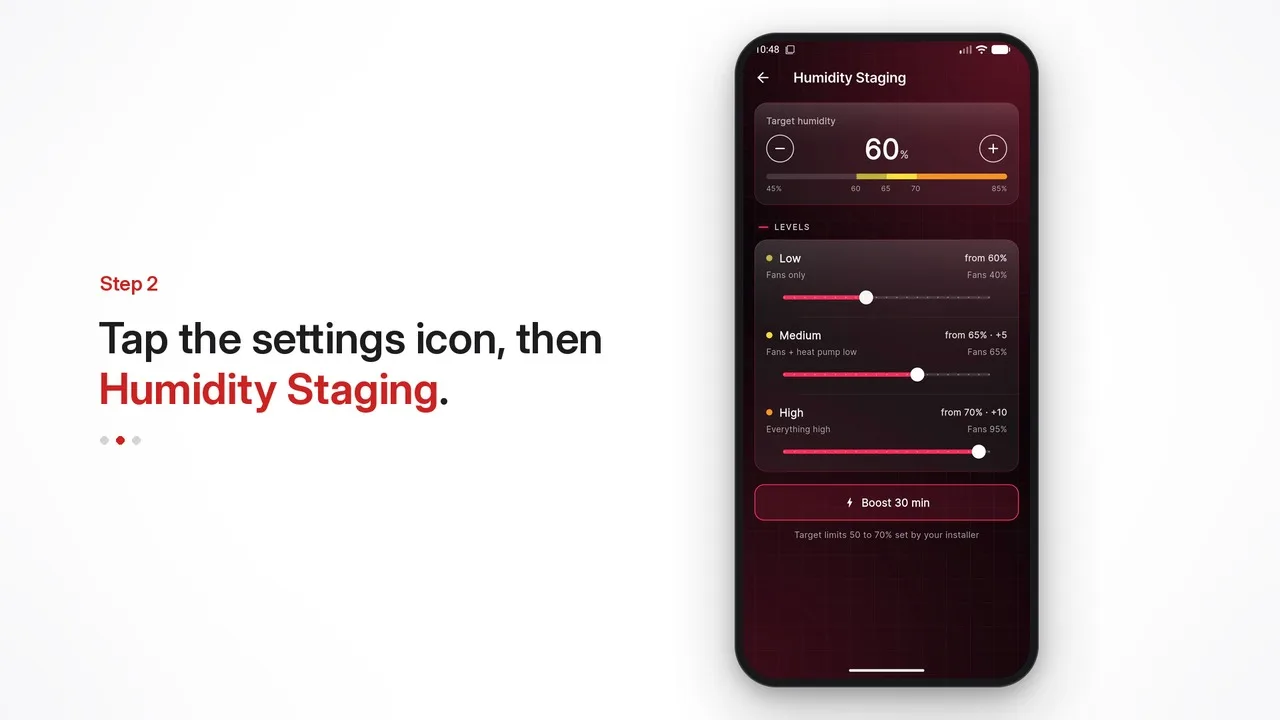
Set the pool hall's target humidity. Fans run first, then the heat pump, as humidity rises.
Steps
- 1On the Zones screen, tap Pool Hall ERV.
- 2Tap the settings icon, then Humidity Staging.
- 3Tap plus or minus to set the target humidity.Fans run first, then the heat pump, as humidity rises.
Still stuck?Raise a ticket and we'll reply within 1 business day.
Raise a Ticket